



label.inspect - Automated Label Inspection
Reliable inline inspection of printed content, variable data, and codes

Labels contain important information for product identification, labeling, and traceability. Missing labels, incorrect variants, illegible text, or faulty codes can lead to production disruptions, complaints, and, in the worst case, incorrect product assignment.
label.inspect is an automated inspection system for the reliable inspection of labels and markings. Industrial machine vision checks, among other things, the presence and position of the label, the printed content, variable text, and 1D and 2D codes.
Inspection takes place directly within the printing, labeling, or packaging process. Incorrectly labeled or defective products can therefore be detected at an early stage, reliably rejected, and documented in a traceable manner.

Any questions?
Get directly in touch with our
experts on +49 7062 91494-0
or write to us using our contact form
Comprehensive inspection of labels and markings
The requirements for label inspection go far beyond basic readability. In addition to the content, the correct label variant, the position on the product, the quality of the printed image, and consistency with the current production data must also be checked.
label.inspect combines these inspection tasks in a modular machine vision system. Depending on the application, multiple cameras, lighting units, and inspection stations can be used and managed centrally through a shared user interface.
The system can be integrated into new labeling and packaging machines or retrofitted into existing production lines.
label.inspect at a glance
- Automated 100% inspection of labels and markings
- Inspection of up to 1,000 labels per minute - depending on format, inspection task, and system concept
- Suitable for a wide range of label formats and color variants
- Inspection of fixed and variable text
- Reading and verification of 1D and 2D codes
- Inspection of label position, alignment, and printed content
- Fast setup and management of new formats
- Comparison with recipe, order, or production data
- User and access rights management
- Audit trail functions for regulated applications
- Modular expansion with additional cameras and inspection tasks
- Optional inspection of visible UV-active features
- Optional stainless-steel housing with integrated lighting
Position and alignment inspection
The position of the label is evaluated relative to defined product or packaging features. Horizontal and vertical deviations, rotation, or skew can be detected.
Depending on product guidance and camera perspective, visible wrinkles, overhanging areas, or incompletely applied labels can also be inspected.
Print inspection
The machine vision system compares the applied print with a reference or defined inspection features. This allows the following defects, among others, to be detected:
- missing or incomplete printed areas
- smeared or damaged characters
- double prints and misprints
- incorrect layouts
- insufficient contrast
- visible contamination
- deviations from defined reference features
OCR - reading variable text
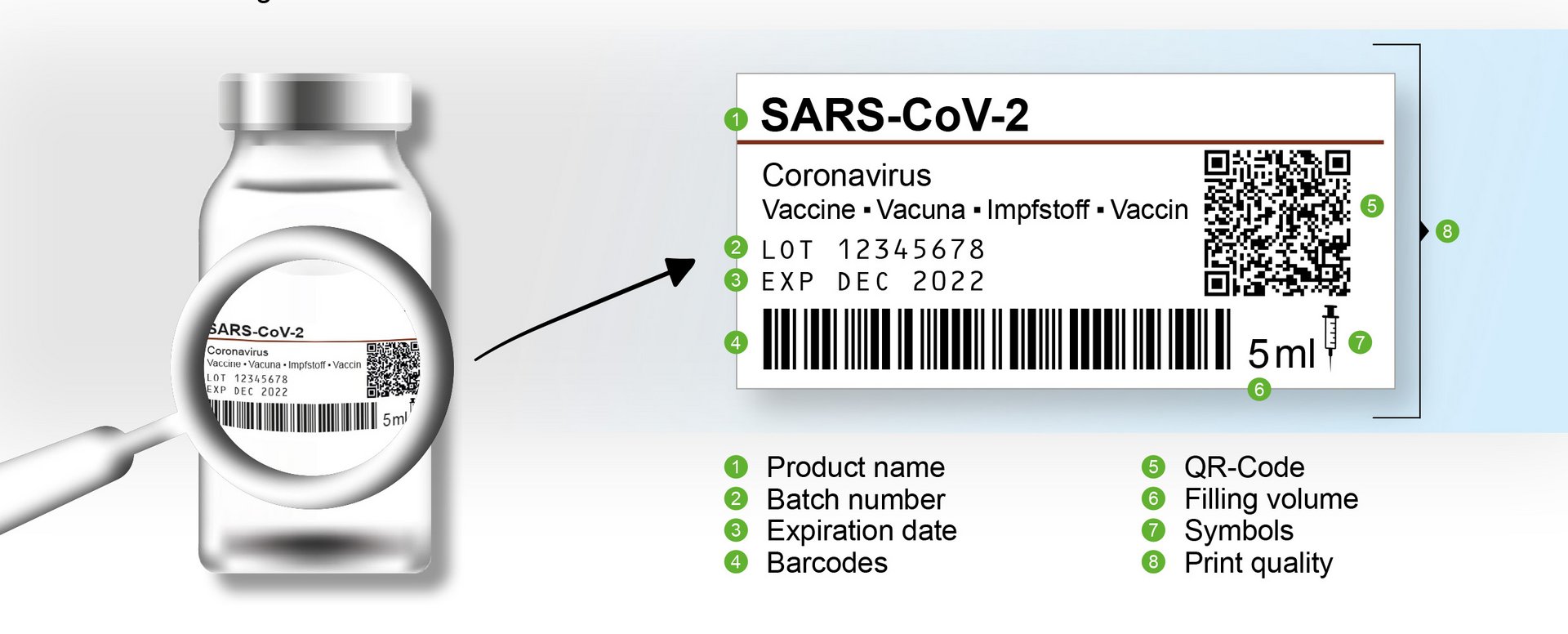
Optical Character Recognition (OCR) reads variable text and outputs it as a digital value.
Typical content includes:
- batch numbers
- serial numbers
- manufacturing dates
- best-before dates
- expiration dates
- product numbers
- order or reference numbers
The information read can then be compared with specified recipe, order, or production data.
OCV - verifying expected text
Using Optical Character Verification (OCV), label.inspect checks whether an expected text has been applied completely and correctly.
Unlike unrestricted text recognition, a known target text is compared with the actual printed image. This makes it possible, for example, to check whether a batch number, product designation, or date corresponds to the intended content.
1D and 2D code inspection
label.inspect reads and verifies different machine-readable symbologies and codes. Depending on the application, the following code types, among others, can be inspected:
- Code 128
- GS1-128
- EAN and UPC codes
- Data Matrix codes
- GS1 DataMatrix
- QR codes
- additional 1D and 2D codes upon request
The specific selection of code types and inspection methods depends on the requirements of the respective application.
Inspection of visible UV-active features
As an option, label.inspect can use suitable lighting and camera technology to inspect visible features produced with UV-active colors or inks.
This makes it possible, for example, to inspect markings, security features, or additional print information that is only partially visible under normal lighting.
Read codes, verify content, and assess print quality
When inspecting codes, the different tasks must be clearly distinguished from one another.
Decode the code
First, the system checks whether the code can be read reliably and whether its content can be technically decoded.
Verify the code content
The system then evaluates whether the code that has been read contains the expected data. Product numbers, batch numbers, serial numbers, dates, or other information can be compared with the current order and production data.
Check the data structure
For structured codes, the system can verify whether the data contained follows the intended structure and whether the expected data fields are present.
Assess print quality
If required by the system design and application, the print quality of a code can also be evaluated using defined quality characteristics.
The specific implementation of standards-based code verification or code grading is defined and technically qualified on a project-specific basis.
Reliable matching of product, label, and production order
A readable marking alone is not sufficient. The product, label, printed content, and production order must all match correctly.
label.inspect can compare the captured information with stored target values or data from higher-level systems. This makes it possible, for example, to check:
- Is the correct label variant loaded?
- Does the label belong to the current product?
- Does the batch number match the production order?
- Is the printed date correct?
- Does the code contain the expected data?
- Do the human-readable text and code content match?
- Was the correct recipe or inspection program used?
In this way, label.inspect supports reliable variant control and reduces the risk of product and labeling mix-ups.
Integration into labeling and packaging processes
A reliable label inspection system must be precisely matched to the machine process. Product guidance, camera position, lighting, printing method, labeling speed, and available inspection time all influence the technical design.
OCTUM develops the inspection station to suit the respective machine and integrates all required components into the production process.
Suitable for different labels and printing methods
Labels differ in terms of material, surface, color, size, printing method, and type of marking. The image acquisition concept is therefore designed individually for each application.
label.inspect is suitable for fixed and variable markings produced, for example, using the following methods:
- laser printing
- thermal transfer printing
- inkjet printing
- dot matrix printing
- preprinted labels
- other industrial printing and marking methods
The camera, optics, and lighting are matched to the substrate, print color, contrast, and possible reflections. Glossy, colored, or textured labels can also be captured reliably with a suitable lighting concept.
Applications for label.inspect
label.inspect can be used to inspect labels on a wide range of products, containers, and packaging.
Typical industries
- pharmaceuticals
- medical technology
- cosmetics and personal care
- consumer goods
- chemical and technical products
- other automated packaging applications
The specific feasibility of inspection depends on the label material, surface, print quality, defect size, product guidance, and machine speed.
Label inspection in regulated production environments
In regulated applications, it is not enough to inspect markings reliably. User access, changes to inspection programs, and relevant inspection results must also be managed in a traceable manner.
Depending on the project requirements, label.inspect can be equipped with functions that support use in regulated production environments.
These include, among others:
- individual user accounts
- role-based access rights management
- logged user actions
- audit trail functions
- recipe and format management
- controlled changes to inspection parameters
- storage of inspection and event data
- assignment to batches and production orders
- interfaces to higher-level systems
- support for documentation and validation
label.inspect can therefore help implement customer-specific requirements in environments governed by EU GMP Annex 11 and 21 CFR Part 11.
The specific system configuration depends on the intended application, the validation concept, and the user's operating processes.
From the inspection task to the label inspection system
1. Define the inspection requirements
Together, we define the labels, printed content, relevant defect characteristics, cycle times, product variants, and interfaces.
2. Investigate feasibility
Using good parts, defective parts, borderline samples, and real print samples, OCTUM evaluates the technical feasibility of the inspection.
3. Develop the machine vision concept
Camera, optics, lighting, and software are matched to the labels, printing methods, and process conditions.
4. Integrate the system
The inspection station is integrated mechanically, electrically, and in terms of control technology into the labeling or packaging machine.
5. Configure inspection programs
The relevant text, codes, positions, tolerances, and variants are defined in the inspection programs.
6. Installation and commissioning
OCTUM installs the system on site, commissions it together with the machine, and supports the handover to production.
Is label.inspect suitable for regulated applications?
The system can be equipped with functions such as user and access rights management, audit trail, recipe management, and storage of relevant inspection and event data. The specific configuration depends on the user's regulatory and operational requirements.
Configure label inspection for your application
Would you like to inspect labels, printed content, variable text, or codes automatically?
OCTUM analyzes your inspection task and develops a suitable inspection system for your labeling machine, packaging system, or production line.
Send us information about your labels, printed content, defect characteristics, formats, and machine speeds. Ideally, you should also provide good parts, typical defective parts, borderline samples, and real print samples for initial testing.